Best AI Video Generators in 2026: Veo vs Kling vs Seedance vs Grok
There is no single best AI video model for every creator. Veo, Kling, Seedance, and Grok emphasize different strengths: cinematic control, multimodal direction, multi-shot storytelling, and fast social content. This comparison helps you choose for real production work instead of judging polished demo reels.
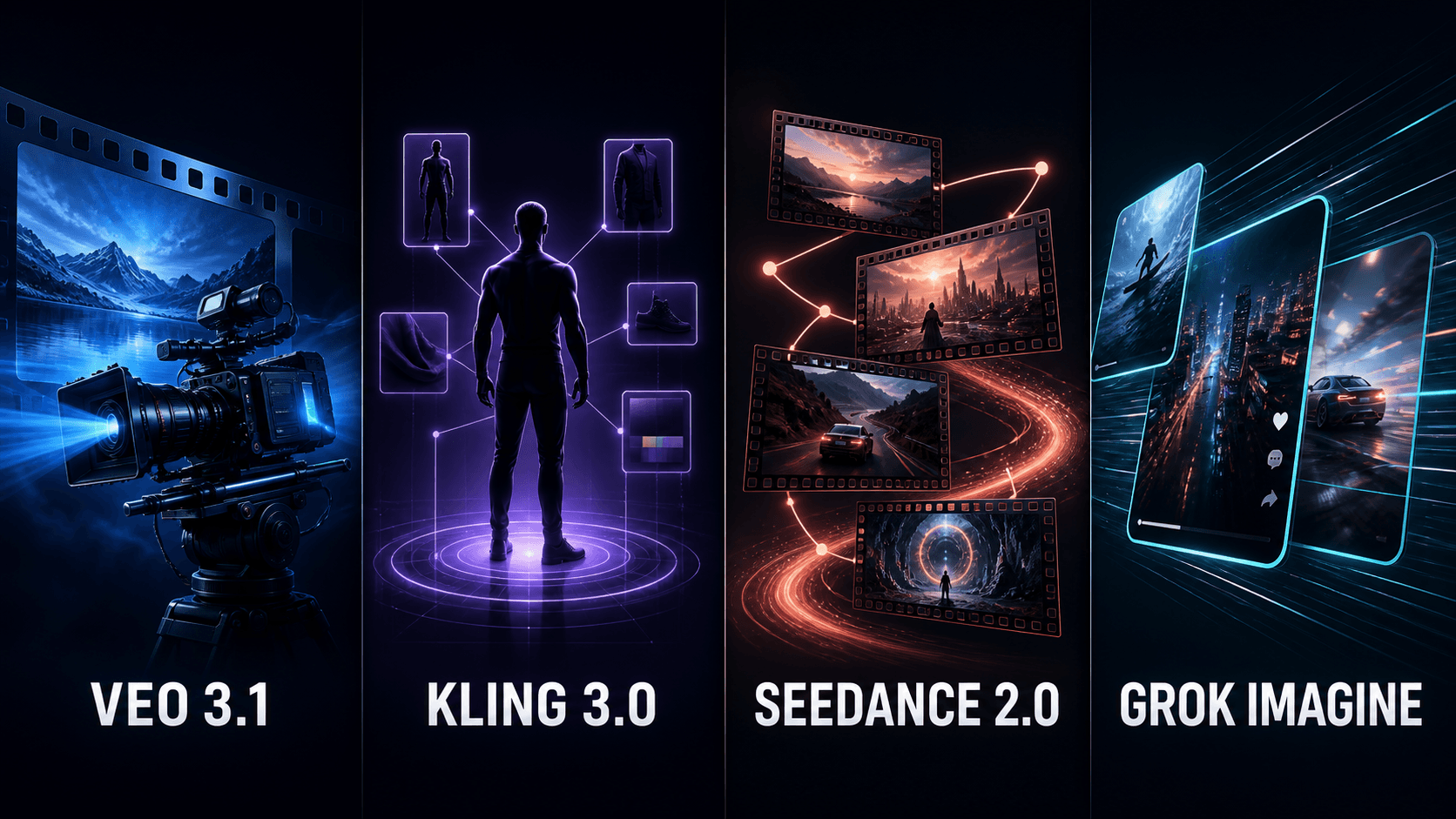
The short answer
Choose Google Veo 3.1 when you prioritize cinematic output, explicit camera prompting, generated audio, and a workflow connected to Google Flow. Choose Kling 3.0 when a project needs multimodal control, character or product references, and an environment that combines generation with editing.
Choose Seedance 2.0 for multi-shot storytelling, complex movement, varied reference inputs, and audio-video generation in one pass. Choose Grok Imagine when your goal is fast 720p short clips, rapid ideation, and social content.
How we compare AI video generators
A useful model must do more than produce one attractive frame. Evaluate prompt adherence, subject motion, camera movement, consistency across shots, audio quality, reference support, turnaround time, and the number of retries required.
Features, pricing, and regional access change quickly. This article was updated in August 2026 using official documentation. Confirm the active model and displayed credit cost in each product before committing a large project.
Google Veo 3.1: built for cinematic workflows
Veo 3.1 works well when prompts clearly define shot type, subject, action, setting, lighting, camera movement, and audio. It is integrated into Google Flow, where images created with Nano Banana can become frames or ingredients for video.
Veo fits advertising, B-roll, camera-specific shots, and projects that keep image and video work inside Flow. Its practical limitation is feature availability: duration, frames, ingredients, plan access, and regional access are not identical across every model mode.
Kling 3.0: control and consistency
The Kling 3.0 family includes video, image, and Omni variants. Kuaishou says it supports multimodal input and output across text, images, audio, and video while bringing understanding, generation, and editing into one workflow.
Kling is worth testing for product videos, recurring characters, controlled movement, and projects that benefit from several reference types. Check whether you selected 3.0 or an Omni mode because capabilities and costs may differ.
Seedance 2.0: designed for multi-shot video
ByteDance describes Seedance 2.0 as a unified multimodal audio-video model accepting text, image, audio, and video input. It targets multi-shot output up to 15 seconds with dual-channel audio, making it relevant when an idea needs progression rather than one isolated shot.
Seedance is promising for short films, narrative advertising, complex action, and video-to-video work. Access can differ by country and distribution platform, so international users should verify the official service and commercial terms before paying.
Grok Imagine: speed and iteration
Grok Imagine creates images and video within the Grok ecosystem. xAI says Video 1.5 Fast can produce a six-second 720p clip in about 25 seconds under its reported conditions, nearly twice as fast as the previous generation.
Grok fits concept testing, memes, social clips, and quick variations. Fast output still needs review for hands, faces, typography, motion, and continuity before publication.
Choose by use case
For cinematic shots and camera language, start with Veo. For characters, products, and multimodal references, test Kling. For multi-shot stories or large movement, test Seedance. For short-form iteration, try Grok Imagine.
An advertisement should be tested in at least two models with the same prompt, reference image, aspect ratio, and output goal. A model that wins a landscape test may lose on product identity, text, or character consistency.
Text-to-video or image-to-video?
Text-to-video is useful for exploration when exact subject control is not yet required. Image-to-video is usually better when a product, costume, face, or opening composition has already been approved.
For image-to-video, the source image can matter more than prompt length. Use a sharp image at the intended aspect ratio, isolate the subject, and leave visual space in the expected direction of motion.
Should native audio decide the winner?
Native audio saves a production step and can synchronize effects with action, but dialogue, pronunciation, music, and ambience still require review. A visually strong clip may be unusable if voices drift or sound effects land at the wrong moment.
For a consistent brand voice or multilingual campaign, generating visuals first and adding controlled voice production can still be more reliable than one-pass audio.
A fair four-model test
Use the same test set: a walking subject with camera motion, a product close-up containing text, a character performing a hand action, a multi-shot scene, and a prompt with dialogue. Keep aspect ratio, approximate duration, and references consistent.
Score prompt adherence, anatomy, motion, consistency, and audio. Record time, price, and retry count as well. The cost of one usable clip matters more than the price of one generation.
Copyright and disclosure
Do not use a real person's image, voice, or identity without appropriate rights. Avoid asking models to copy protected characters, brands, or recognizable creative properties for commercial use.
Preserve source files, prompts, and model information for project records. Disclose AI-generated media when required by a platform, client, or applicable rule, and do not attempt to remove a provider's invisible provenance marker.
Which AI video generator should you choose?
Veo 3.1 is a balanced choice for creators already using Google's ecosystem. Kling 3.0 is compelling when reference control and consistency matter. Seedance 2.0 stands out for multi-shot storytelling. Grok Imagine is strongest as a rapid iteration tool.
The best model is the one that produces the highest rate of usable clips for your specific work. Run a small benchmark before buying a long subscription or moving an entire production pipeline.
Related articles
Frequently asked questions
What is the best AI video generator in 2026?
There is no universal winner. Veo fits cinematic workflows, Kling emphasizes reference control, Seedance stands out for multi-shot output, and Grok Imagine prioritizes speed.
Is Veo better than Kling?
Veo suits Google Flow users and explicit camera prompting; Kling is worth testing for multimodal references and consistency. Compare both with the same real brief.
Does Seedance 2.0 generate audio?
Yes. ByteDance presents Seedance 2.0 as a unified audio-video model with multi-shot output and generated sound.
How long are Grok Imagine videos?
Specifications depend on the current model. xAI reports six-second 720p output for Grok Imagine Video 1.5 Fast; check the current interface before use.
Should I choose an AI video model by price alone?
No. Calculate the cost of a usable clip, including retries, review time, and post-production.
Ready to streamline your Google Flow workflow?
Install the VeoBulk Extension to manage prompts, queues, and results directly in Chrome.